Outlook
To add our address to your Outlook safe senders list, please follow the instructions below:
-
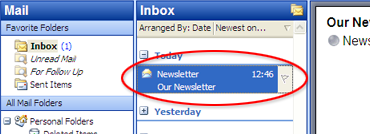
Right click on the email in your inbox
Find the email in the inbox list, and right click in the box.
-
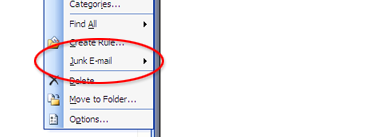
Select 'Junk E-mail'
In the menu that appears, select the 'Junk E-mail' menu.
-
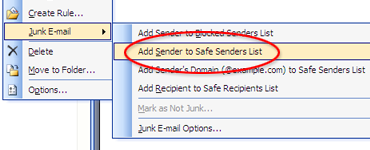
Click 'Add sender to safe list'
Clicking the 'Add sender to safe list' option in the 'Junk E-mail' submenu will add our address to your safelist.